How to connect a monitoring system to an aggregation switch
Monitoring equipment connects to an aggregation switch via TAP or SPAN ports, with traffic redirected to tool ports using TAP aggregation or port mirroring configurations.
Overview
To connect monitoring equipment to an aggregation switch, you need to collect traffic from network points and forward it to your monitoring tools. This is typically done using Test Access Points (TAPs) or Switched Port Analyzer (SPAN) ports. The aggregation switch acts as a central hub, receiving traffic from multiple sources and distributing it to one or more monitoring devices such as packet sniffers, IPS systems, or RMON probes (Cisco documentation), .
Physical Connections
- TAP Ports: Connect the network links you want to monitor to the TAP ports on the aggregation switch. These ports receive a copy of the traffic without affecting the original flow.
- Tool Ports: Connect your monitoring equipment (e.g., analyzers, firewalls, or sniffers) to the tool ports on the aggregation switch. These ports transmit the copied traffic to the monitoring devices (Juniper documentation), .
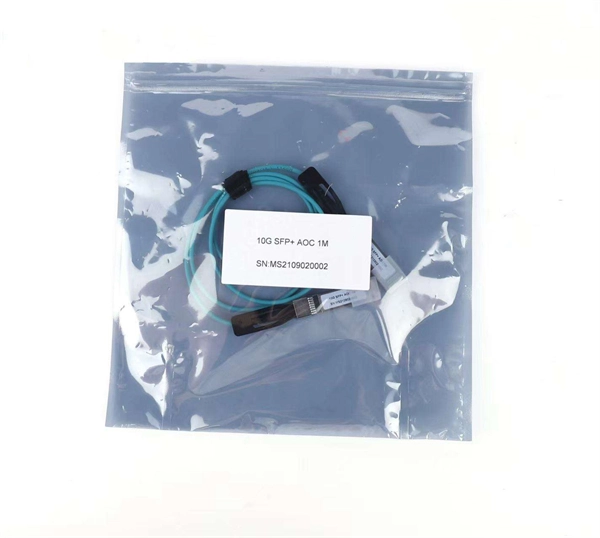
- Cabling: Use appropriate Ethernet or optical cables depending on the switch and TAP type. Ensure the switch and monitoring devices support the link speeds of the monitored traffic.
Logical Configuration
- Create TAP Groups: Assign one or more TAP ports to a TAP group. This defines which incoming traffic will be aggregated.
- Create Tool Groups: Assign one or more tool ports to a tool group. This defines where the aggregated traffic will be sent.
- Map TAP Groups to Tool Groups: Configure the switch to map TAP groups to tool groups so that traffic from the TAP ports is replicated to the correct monitoring devices.
- Traffic Filtering (Optional): Apply ACLs or filters to redirect only specific traffic to certain monitoring tools. This can be done using internal multicast groups on the switch to efficiently distribute traffic to multiple tool ports (Cisco documentation), .
- Monitoring Protocols: Some switches support sFlow or NetFlow for sampled traffic monitoring, which can be configured on the aggregation switch to send telemetry data to collectors (Juniper community), .
Best Practices
- Dedicated Switch for TAP Aggregation: If possible, dedicate a switch for TAP aggregation to avoid interference with production traffic.
- Check Platform Support: Ensure your switch supports TAP aggregation or port mirroring at the required line rates.
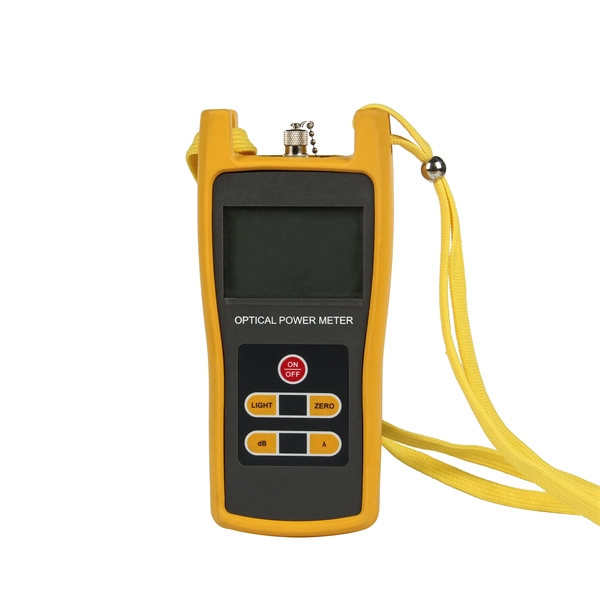
- Monitor Performance: Use the switch's management interface to verify that traffic is being correctly replicated and that monitoring devices are receiving the expected data.
- Firmware Updates: Keep the aggregation switch firmware updated to ensure compatibility with monitoring features and security patches. By following these steps, you can effectively connect monitoring equipment to an aggregation switch, enabling comprehensive network visibility and real-time traffic analysis.
 Industry
 Configuring TAP Aggregation and MPLS Stripping
It works by designating a device to allow the aggregation of multiple test access points (TAPs) and to connect to multiple monitoring systems. TAP aggregation switches link all of the monitoring devices
 Industry
 What are Link Aggregation Groups (LAGs) and how do
What are Link Aggregation Groups (LAGs) and how do they work with my managed switch? Link aggregation lets a switch treat multiple physical links
 Industry
 Link Aggregation Configuration
Example for Configuring Link Aggregation in Manual Mode When Switches Are Directly Connected Overview Ethernet link aggregation increases link bandwidth by bundling multiple physical links to
 Industry
 Enhance Your Network with a Link Aggregation Switch: Benefits
Discover the benefits, configuration, and best practices of using a link aggregation switch to enhance your network. Combine multiple Ethernet links into a single logical link seamlessly.
 Industry
 Configuring TAP Aggregation and MPLS Stripping
TAP aggregation is an alternative solution to help with monitoring and troubleshooting tasks in the data center. It works by designating a device to allow the aggregation of multiple test access points
 Industry
 What is an Aggregate Switch?
What is the difference between an aggregate switch and a core switch? An aggregate switch consolidates traffic from access switches, while a core switch forms the backbone of the
 Industry
 What is Switch Aggregation, Its Role and Selection Advice
This article wraps up "what is switch aggregation" and suggestions for choosing an aggregation switch. By considering these factors, network administrators can make informed
 Industry
 What is an Aggregation Switch? | Features and Practical Benefits
Users can immediately connect to or access the network from the location of the access switch. The aggregation switch conducts uploading and distributing in addition to other tasks
 Industry
 Switch Engine v33.2.1 User Guide
Each aggregation switch is physically connected to all edge switches and participates in multiple EAPS domains. The aggregation switches can serve a different role within each EAPS domain, with one
 Industry
 Ethernet Tap | Network Tap | Aggregation Tap with Monitoring Software
The ST-1000 SecureTap can be installed between any two network endpoints, such as firewalls, routers, switches or servers to allow passive monitoring of all data traffic flow.
 Industry
 TAP Aggregation Switch: Key to Monitor Network Traffic
TAP aggregation switch works by designating a device to allow the aggregation of multiple TAPs and to connect to multiple monitoring systems. In this process, all the monitoring
 Industry
 Ethernet Tap | Network Tap | Aggregation Tap with Monitoring Software
Aggregation Tap is a network tap that can receive both sides of a full duplex data transmission, combine those two independent streams of data and send the “aggregated” copy of the entire transmission to
 Industry
 How To Set Up Switch Link Aggregation
In this article, I''m going to describe how to set up Link Aggregation between two managed switches to provide connectivity, redundancy, and expanded bandwidth. I''m going to set up Link Aggregation
 Industry
 Link_Aggregation_Config_Guide
The Link Aggregation feature when helps connecting two or more physical links between two network devices without forming loops. Link Aggregation can be used between switches, servers
 Industry
 Cisco Data Center Infrastructure 2.5 Design Guide
Figure 2-1 Data Center Multi-Tier Model Topology Data Center Core Layer The data center core layer provides a fabric for high-speed packet
 Industry
 Configure an Aggregate Interface Group
Before configuring an aggregate group, you must configure its interfaces. Among the interfaces assigned to any particular aggregate group, the hardware media can differ (for example, you can mix fiber
 Industry
 Link Aggregation: What is it, and How Does it Work?
Link aggregation is a way of bundling a bunch of individual (Ethernet) links together so they act as a single logical link. A fundamental for effective
 Industry
 Why You Need a Fiber Aggregation Switch and How it Can
Aggregation Switch: These switches reside between access layer switches (to which clients connect) and core layer ones (to which do routing). Their primary role is to combine many
 Industry
 TAP Aggregation for Network Monitoring
The running TAP aggregation configuration on the switch receives the network packets you want to test on the tap ports and sends the copied packets from the tool ports to off-switch monitoring tools and
 Industry
 Configuring Network Taps for Maximum Effectiveness
Available for both copper and fiber media, this device can be configured to internally aggregate or merge the Rx and Tx data stream copies. This allows devices with a single Capture
 Industry
 Aggregated Ethernet Interfaces Overview | Junos OS | Juniper Networks
You can configure LAGs to connect a QFX Series product or an EX4600 switch to other switches, like aggregation switches, servers, or routers. This example describes how to configure LAGs to connect
 Industry
 Medium Branch Switch Configuration | Validated Solution Guide
this section of the guide will demonstrate how to configure a Aggregation switch with dual purposes, providing power and layer 2 access to wired devices and access points, while also
 Industry
 Configuring Devices to Be Managed by the Controller (in the Hybrid
When the switches running V600 function as aggregation or access switches, they can go online through PnP VLAN-based zero touch provisioning (ZTP) or be managed after manual configuration
 Industry
 What is an Aggregation Switch?
The aggregation switch is located in the middle of the network architecture, which is equivalent to a middle-level manager of a company. It
 Industry
 Cisco Nexus 9000 Series NX-OS System Management Configuration
It works by designating a device to allow the aggregation of multiple test access points and to connect to multiple monitoring systems. TAP aggregation switches link all of the monitoring