How should Huawei optical module interfaces be configured
Huawei optical module interfaces should be configured by first ensuring proper physical installation, pre-configuring the transmission medium type if needed, and then setting interface attributes and PON parameters using device commands.
Physical Installation and Pre-Configuration
Before configuring an optical interface, ensure the correct optical module (SFP, GPON, XG-PON, XGS-PON, or 50G-PON) is installed in the device slot . Huawei devices allow pre-configuration of the transmission medium type on an interface before the module is physically installed. This ensures that once the correct module is inserted, the interface can automatically go up and the subsequent configurations take effect . Always verify that the installed module matches the pre-configured type to avoid damage or misidentification.
Ethernet Optical Interface Configuration
For Ethernet optical interfaces, you can configure attributes such as speed, duplex mode, and VLANs after the module is installed . Use commands like display interface <interface-type> <interface-number> to check the link status, port rate, and transceiver type. For detailed diagnostics, the display transceiver interface <interface-type> <interface-number> verbose command provides module identity, wavelength, transmission distance, and DDM (Digital Diagnostic Monitoring) data .
PON Interface Configuration
For GPON or EPON interfaces, configure the interface to communicate with the upstream Optical Line Terminal (OLT), . Key steps include:
- Setting the interface mode (EPON or GPON) and compatibility mode.
- Configuring DBA (Dynamic Bandwidth Allocation) profiles to define upload speeds for services like management, Internet, voice, and IPTV .
- Authenticating ONUs using MAC addresses, LOID, or check codes to control access and ensure security .
- Restarting the device after certain commands (e.g.,
epon compatibility dba) to apply changes .
GPON Commands and Profiles
Huawei GPON devices use commands similar to Cisco but with display instead of show and undo instead of no . Typical configuration steps include:
- Adding and initializing GPON cards in chassis slots.
- Defining VLANs for management, Internet, voice, and IPTV services.
- Creating
ont-lineprofileconfigurations for FTTH bundles. - Assigning DBA profiles to control bandwidth allocation per service.
Monitoring and Diagnostics
After configuration, monitor interface and module status:
- Use
display interface briefto view all ports and their link status. - Check transceiver parameters to ensure proper operation and detect faults early .
- Monitor traffic statistics, errors, and bandwidth utilization to maintain network performance.
Best Practices
- Always match the pre-configured transmission medium type with the installed module.
- Verify module compatibility with the device and intended PON technology.
- Use authentication and DBA profiles to manage ONUs effectively.
- Regularly monitor optical interfaces and transceivers to prevent downtime and maintain service quality. By following these steps, Huawei optical module interfaces can be reliably configured for both Ethernet and PON deployments, ensuring high performance and secure connectivity.
 Industry
 Displaying Optical Module Information
Displaying Optical Module Information Context When the optical module on an interface is faulty, you can run the display commands
 Industry
 Connecting Optical Modules and Optical Fibers
Huawei devices must use Huawei-certified optical modules. Non-Huawei-certified optical modules cannot ensure transmission
 Industry
 Can a GE Optical Interface Be Manually Configured as a 100M Interface
Why Two GE Interfaces with Auto-Negotiation Enabled Cannot Work at 1000 Mbit/s? Why Cannot Connected Optical Ports Go Up
 Industry
 Configuring Attributes for an Optical Interface
Both the local and remote interfaces do not need to have optical modules installed. The 40GE interface can be connected to four
 Industry
 Installing an Optical Module
Gently push the optical module into the optical port until you hear a click. When inserting an optical module to a port, hold the optical
 Industry
 Troubleshooting MA5608T: Optical Interfaces, Stacking Errors & L3
Overview Welcome to our comprehensive technical FAQ for network architects and telecom engineers working with the Huawei
 Industry
 Understanding Optical Modules
On an optical network, a sender needs to convert electrical signals into optical signals before sending them to a receiver, and the
 Industry
 Installing Optical Transceivers and Connecting Optical Fibers
If different optical modules are used at the two ends, the communication may fail. Huawei optical modules are recommended. The
 Industry
 Configuring Attributes for Ethernet Optical Interfaces
To ensure that the interface works properly, you are advised to use Huawei-certified optical modules. A 40GE or 100GE high-speed
 Industry
 Configuring Common Optical/Electrical Interface Attributes
For the interface speed supported by Ethernet interfaces, see Attributes Supported by Ethernet Interfaces of
 Industry
 Guide to Using Pluggable Modules
Guide to Using Pluggable Modules The system may fail to obtain information about non-Huawei-certified optical modules or obtain
 Industry
 Optical Module Solutions for Huawei S5700/S5720 Series Switches
This article summarizes several solutions for using optical modules with switches and common problems encountered
 Industry
 Displaying Optical Module Information
Run the display transceiver diagnosis interface [ interface-type interface-number ] command to view diagnostic information about a
 Industry
 Managing Huawei OLT: Initial Setup, Console Connection & Firmware
To check the Tx/Rx optical power of a specific port, use the command display optic-info [frame/slot/port] or display ont optical-info
 Industry
 6.3.9 Installing Cables and Optical Modules. Huawei E9000
1. Determine the type and installation position of the optical module based on site requirements. 2. Horizontally insert the optical
 Industry
 Huawei GPON configuration (commands) | Splynx Documentation
Learn how to configure Huawei GPON, set user and default routes, check status with commands, and remove ONT from configured
 Industry
 Replacing an Optical Module
The device must use optical modules recommended on the configurator because non-Huawei-certified optical modules cannot
 Industry
 Checking the Optical Module Type
The selected optical modules must be supported by the optical interfaces. Check whether the optical module used on the switch is
 Industry
 Understanding Pluggable Optical Modules
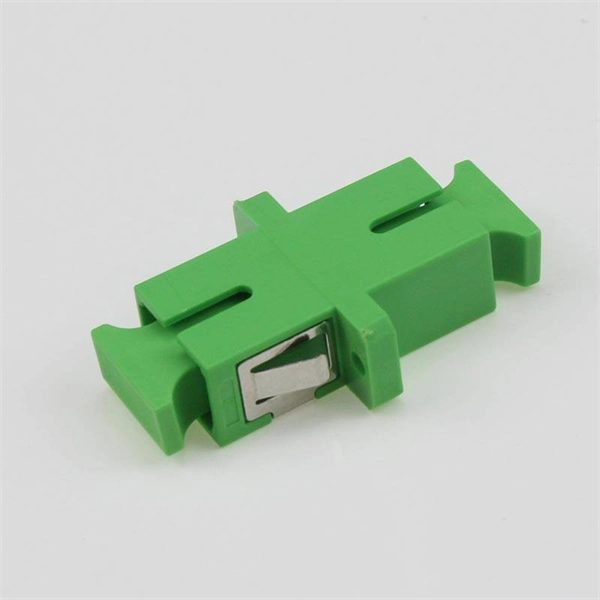
Optical modules are available in various types to meet diversified requirements. Classified by transmission rates Currently, the
 Industry
 Configuring Attributes for Ethernet Optical Interfaces
Some functions can be configured on an optical interface only after the interface connects to a transmission medium (such as an
 Industry
 01-18 PON INTERFACE CONFIGURATION
To enable the router to communicate with an upstream optical line terminal (OLT), you must correctly configure attributes of the
 Industry
 Optical Interface Interconnection Is Abnormal on CE Switches
After an SFP-GE copper or optical module is installed on a GE or 10GE optical interface, or a high-speed cable is
 Industry
 What Precautions Should Be Taken When Optical Interfaces Are
When optical interfaces are connected, the interfaces cannot go Up if the installed optical modules or fibers are abnormal. When
 Industry
 Displaying Optical Module Information
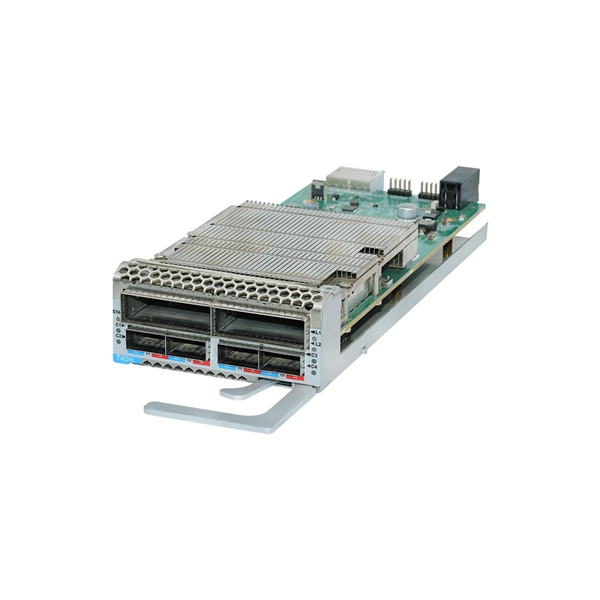
Context When the optical module on an interface is faulty, you can run the display commands to view information about the optical
 Industry
 How To Check If Interconnected Optical Ports Cannot Go Up?
Some non-certified optical modules have defects in data bus designs. Using such an optical module on a device causes abnormality
 Industry
 Displaying Optical Module Information
Displaying Optical Module Information You can use the display commands to view information about the optical
 Industry
 Checking Whether the Optical Fiber and Optical Module Match
1550 nm: single-mode optical modules. They are often used for long-distance transmission. GE and 10GE optical modules have the
 Industry
 How To View Optical Transceiver Information On Huawei Switches
Optical transceivers are widely applied in switches, network cards, routers and other communication devices.