How to configure an access layer switch
Configuring an access layer switch involves initial setup, VLAN creation, port assignment, security configuration, and management access setup.
Step 1: Connect to the Switch
Physically connect to the switch using a console cable and a terminal emulator like PuTTY. Set the connection to 9600 baud for serial communication. Power on the switch and verify that all indicator lights are functioning properly .
Step 2: Enter Privileged and Global Configuration Mode
At the command prompt, type enable to enter Privileged EXEC mode, then configure terminal to access Global Configuration mode. This allows you to make system-wide changes .
Step 3: Set Hostname and Domain Name
Assign a descriptive hostname using hostname and configure a domain name if needed. This helps identify the switch in the network .
Step 4: Configure Management Access
- Set an enable secret password for privileged access:
enable secret. - Configure console and VTY (Telnet/SSH) passwords for secure access.
- Assign an IP address to the management VLAN:
interface vlan 1followed byip address. - Set the default gateway:
ip default-gateway.
Step 5: Create VLANs
Define Layer 2 VLANs to segment network traffic:
vlan 10name Salesvlan 20name HR
Assign ports to VLANs:
interface g0/1switchport mode accessswitchport access vlan 10interface g0/2switchport mode accessswitchport access vlan 20
This ensures that each port belongs to the correct VLAN and limits broadcast traffic .
Step 6: Configure Access Ports
Set each port to access mode for end devices:
interface g0/1switchport mode accessswitchport access vlan 10
Verify port capabilities and ensure trunking is disabled on access ports .
Step 7: Enable Security Features
- Disable unused ports to prevent unauthorized access.
- Configure port security to limit MAC addresses per port.
- Optionally, configure ACLs for additional traffic control .
Step 8: Save Configuration
After completing all configurations, save the running configuration to startup configuration:
copy running-config startup-config
This ensures that settings persist after a reboot .
Step 9: Verify Configuration
Use commands like show vlan brief, show running-config, and show interfaces status to confirm VLAN assignments, port status, and overall switch configuration .
Step 10: Optional Advanced Configurations
Depending on network requirements, you may configure:
- Spanning Tree Protocol (STP) for loop prevention
- SSH for secure remote management
- VTP for VLAN propagation across switches
- SNMP for monitoring . Following these steps ensures a properly configured access layer switch that is secure, manageable, and ready to support end devices in a segmented network.
 Industry
 High Availability Campus Network Design--Routed
For campus designs requiring simplified configuration, common end-to-end troubleshooting
 Industry
 Data Center Access Layer Design
Overview of Access Layer Design Options Access layer switches are primarily deployed in Layer 2 mode in the data center. A Layer
 Industry
 Choose access layer switch for the access layer network
In each layer, the enterprise switches are categorized, among which the access switch is a key part in which local end
 Industry
 How to configure a Cisco Layer 3 Switch-InterVLAN Routing Without
For example, some switch models that support layer 3 routing are the 3550, 3750, 3560 etc. On a Layer3-capable switch, the port
 Industry
 8 Steps to configure your network switch
So, before you add your switch to the network, you''re going to want to set its revision number to zero. To easily reset the domain
 Industry
 Access Layer Switch Configuration | Networkforyou | CCNA
Access Layer Switch Configuration | Networkforyou | CCNA Follow us on Instagram /
 Industry
 Layer 3 Switch Example
The uplink port on the access switch should be configured identically, otherwise VLAN mismatches will result. The access switch will
 Industry
 Configuring Layer 2 Switching
You can configure Layer 2 switching ports as access or trunk ports. Trunks carry the traffic of multiple VLANs over a single link and
 Industry
 Access Layer Compact Switch Deployment Guide
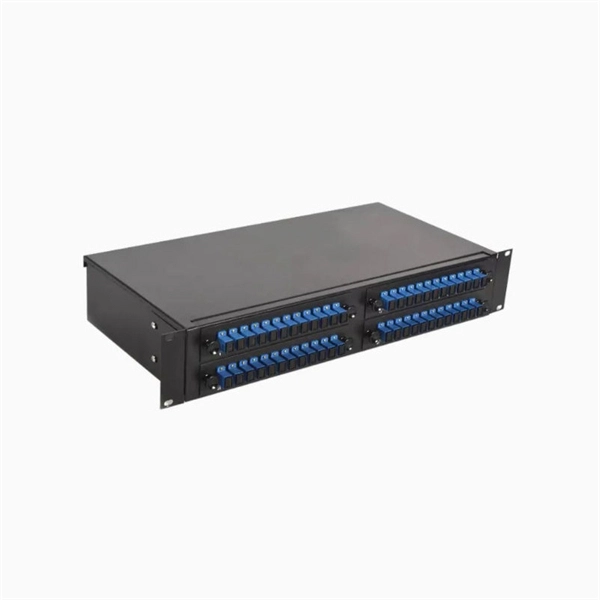
Technology Overview and other devices in the work environment. The primary Access Layer switches are designed to be housed in
 Industry
 What Is an Access Layer Switch? Guide complet
Learn what an access layer switch is, how it works in enterprise networks, and how to choose the right Cisco access switch for your
 Industry
 What Is an Access Switch? The Definitive Edge Network Guide
Learn what an access switch is, how it works at the network edge, why PoE and port density matter, and how Wi-Fi 7
 Industry
 Understanding the Role of an Access Switch in Your
An access layer switch refers to a network device that is designed in such a way that it
 Industry
 L2 vs L3 Switch: How to Choose for Your Access Layer
Learn how to choose between L2 and L3 switches and build an access network that''s reliable, scalable, and easy to
 Industry
 How to Configure a Cisco Switch in 10 Steps
In this step-by-step guide, we walk you through configuring Cisco switches and look at some FAQs. Configuring a
 Industry
 Campus LAN: Core, Distribution, Access Layers
This layer''s primary purpose is to provide access to which end devices wants to connect. It is then connected to the
 Industry
 Access, Distribution, and Core Layers Explained
This tutorial provides an overview of the access, distribution, and core layers and explains two-tier and three-tier
 Industry
 Basic Switch Configuration Guide with Examples
This tutorial explains basic switch configuration commands in detail with examples.
 Industry
 VLAN Configuration Commands Step by Step Explained
This tutorial explains VLAN configuration commands. Learn how to configure, test, and
 Industry
 Understanding Access Switches: Key Components of Your Network
Explore the role of access switches in your LAN setup. Understand their key components, functions in the access layer,
 Industry
 Access layer | FortiSwitch 7.4.0 | Fortinet Document Library
Switching Reference Architecture Guide Introduction Campus architectures Wired local area network basics Secured LAN Reference
 Industry
 Example for Configuring a Layer 2 Switch to Work with a Router for
Configure interface-based VLAN assignment on the switch for Layer 2 forwarding. Configure the router as the gateway of users to
 Industry
 Cisco ACL Tutorial | What is ACL and How to Configure it on Layer 3 Switch
In this video, you will learn how to configure an access list. Everything is explained step by
 Industry
 How to Configure a Cisco Switch in 10 Steps
Configuring a Cisco switch is a fundamental task for network administrators, as it lays the groundwork for efficient and
 Industry
 Chapter: Layer 2 LAN Port Configuration
Layer 2 Ethernet ports on Cisco switches support simultaneous, parallel connections between Layer 2 Ethernet
 Industry
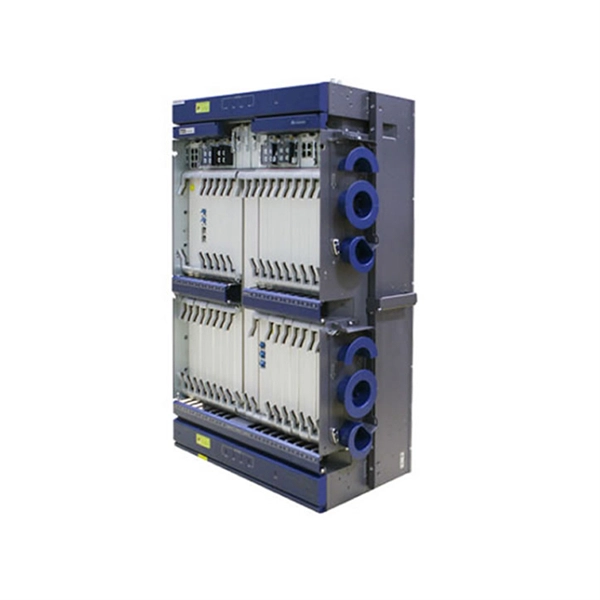
 Modular Access Layer Deployment Guide
Why an agency might wish to use a modular switch in the access layer Cisco Smart Business Architecture (SBA) for Government
 Industry
 Access Layer (Access Switch)
Access Layer (Access Switch) The access layer is the edge of a campus network, which provides diverse access modes to PCs,
 Industry
 configuring an access-layer switch
Hi, I want to configuring an access-layer switch with the following requirements: the switch is to be the STP root for VLAN 99, the first